Wstęp
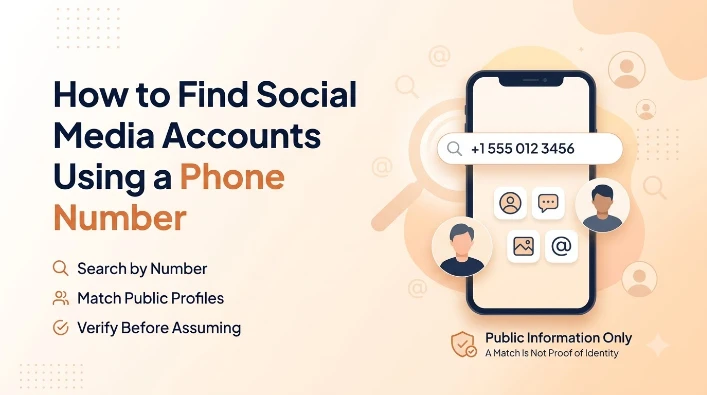
A phone number is one of the few identifiers people reuse everywhere: banking apps, food delivery, a decade-old Facebook signup, a WhatsApp account created last week. That repetition is exactly what makes it possible to go the other direction, starting with just a number and finding the social accounts tied to it, whether you're trying to verify who you're talking to or confirm a business contact is legitimate. It's a search millions of people run every day without ever thinking of it as a formal "lookup," since most of it happens automatically the moment a phone syncs its contacts with an app.
This guide covers which platforms actually support a phone-number search, how contact syncing surfaces accounts you didn't expect, what caller ID apps add to the picture, and how to lock your own number down if you'd rather not be found this way yourself.
Which Platforms Let You Search by Phone Number
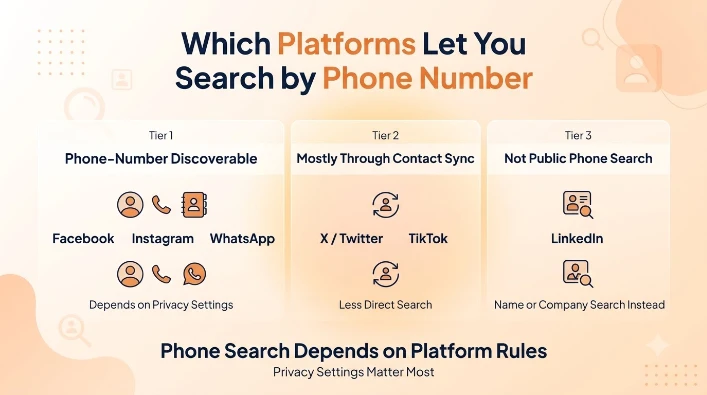
Not every platform treats a phone number the same way. Facebook, Instagram, and WhatsApp all let a user's profile be discoverable by phone number, though each one gates that discoverability behind a privacy setting the account owner controls. Twitter/X and TikTok support phone-number search less directly, relying more on contact-syncing during onboarding than a standalone search bar. LinkedIn generally doesn't support a public phone-number search at all, favoring name and company-based search instead.
How to Search on Facebook, Instagram, and WhatsApp
On Facebook, typing a phone number directly into the main search bar surfaces a matching profile only if that person's discoverability setting allows it. Instagram works similarly through its "Find People" tool, which checks a phone number against the platform's registered accounts when you grant contact access during setup or use the search feature directly. WhatsApp takes a different route entirely: rather than a search bar, it checks a phone's own contact list against WhatsApp's user database, which is why a number saved in your contacts sometimes shows up automatically in WhatsApp with a profile photo and status, without you searching for anything at all.
Telegram and Snapchat: A Different Discovery Model
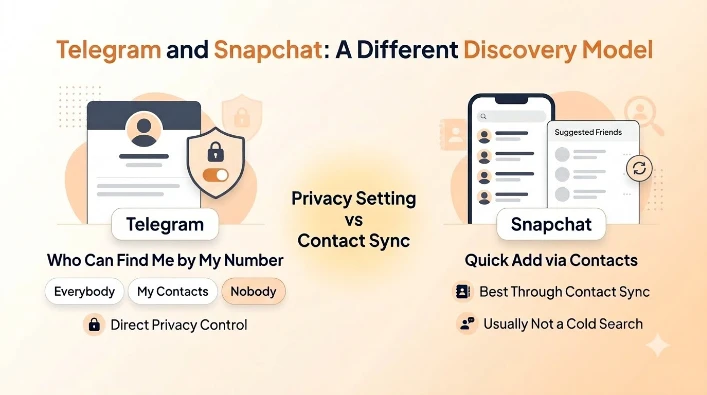
Telegram handles this more explicitly than most platforms, with a dedicated setting called "Who can find me by my number" that lets a user choose Everybody, My Contacts, or Nobody. Set to Nobody, a Telegram account becomes completely unreachable by phone-number search no matter who's looking, which is stricter than the friends-of-friends middle ground Facebook and Instagram allow. Snapchat leans almost entirely on contact syncing rather than a search bar, suggesting accounts as "Quick Add" friends based on matching phone numbers found in your device's contacts, so a Snapchat account rarely surfaces from a number typed in cold without that number already being saved on your phone.
The Two-Factor Authentication Number Trap
A number handed over purely for two-factor authentication, meant only as a security code delivery method, has a history of ending up searchable anyway on some platforms. Facebook drew criticism specifically for this: numbers submitted only to secure an account with 2FA were, for a period, also made searchable by default, effectively repurposing a security feature into a discoverability one without an obvious opt-out at signup. It's a reminder to check the discoverability setting separately after enabling 2FA anywhere, rather than assuming a number entered for security purposes stays private by default.
Caller ID Apps: The Other Way Numbers Reveal Accounts
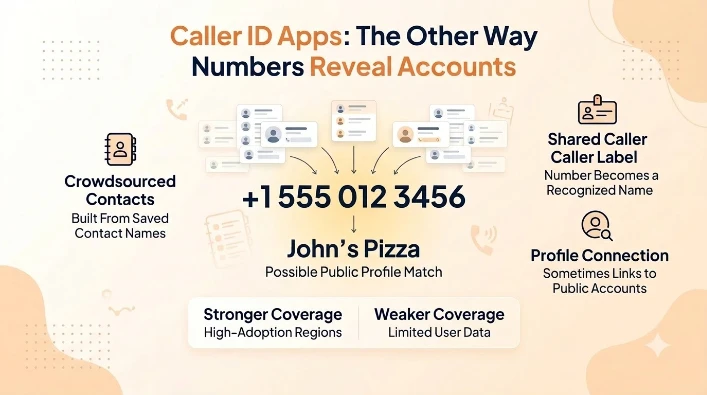
Caller ID apps like Truecaller take an entirely different approach from a platform's own search feature. Rather than checking one social network, they maintain a crowdsourced database built from millions of users' uploaded contact lists, so a number that's saved as "John's Pizza" in enough people's phones starts showing up labeled that way for everyone else too. Some of these apps cross-reference that crowdsourced name against publicly linked social profiles, effectively bridging a bare number to a name and, sometimes, a social account, without either party doing anything deliberate to make that connection happen.
Coverage isn't even worldwide. Truecaller's database is strongest in India, and it has significant reach across South Asia, Africa, and the Middle East, since that's where its user base is largest and crowdsourced contact uploads are densest. A number based in a region with lighter Truecaller adoption returns a much thinner result, sometimes nothing beyond the carrier and general location, which is a reminder that these apps work only as well as the data volunteered into them.
When This Kind of Search Is Actually Useful
The practical reasons people run this search rarely involve anything sinister. Verifying that a marketplace seller's number matches a real, established social presence rather than a brand-new throwaway account is a genuinely useful trust check before sending money. The same goes for online dating, where confirming a match's number connects to a social profile that's been active for years, rather than one created days ago, is a low-effort way to catch a catfishing attempt early. Small businesses run this check too, confirming a supplier or contractor's listed number actually traces back to a real, operating account before signing anything.
Why a Search Sometimes Comes Up Empty
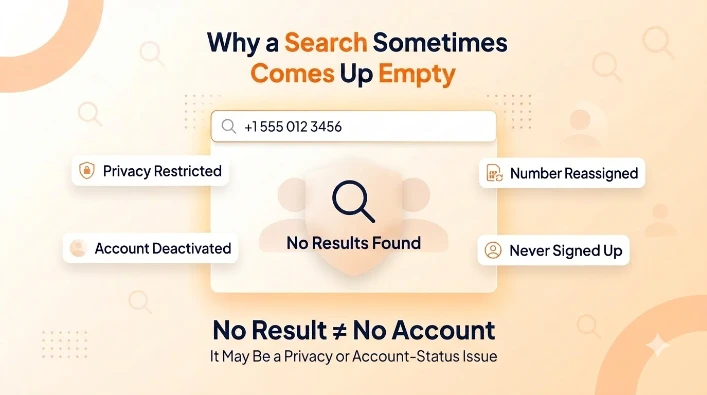
A phone-number search returning nothing doesn't necessarily mean the number has no accounts attached to it. It far more often means the account owner has restricted who can find them this way, a setting most platforms make it genuinely easy to turn on. A deactivated or deleted account, a number that's since been reassigned to a new subscriber, or simply a platform the person never signed up for in the first place all produce the same empty result. It's the social-search equivalent of a number simply not appearing in a general lookup: the absence of a result is information about privacy settings or account status, not proof that nothing was ever there.
Locking Down Your Own Number's Discoverability
Anyone uncomfortable with being found this way has real options on every major platform: Facebook and Instagram both let you restrict phone-number lookup to friends only or turn it off entirely in the privacy settings, and WhatsApp lets you hide your profile photo, last-seen, and status from anyone not already in your contacts. Telegram's Nobody option is the strictest of the group, and Snapchat's contact-sync suggestions can be turned off in its own settings so a number stops surfacing as a Quick Add recommendation. For accounts you'd rather keep separate from your primary number altogether, registering with a dedicated virtual number instead of your personal SIM avoids the exposure at the source, since there's no personal number for a search to ever connect back to.
What's Actually Allowed Here
Searching a phone number against a platform's own built-in discoverability feature is exactly the kind of lookup those features were built to support, and using one isn't a legal or ethical gray area on its own. Where it turns into a real problem is what happens afterward: using a found account to repeatedly contact someone who hasn't responded, creating a fake profile to get around a block, or aggregating information across multiple accounts to build a profile on someone without their knowledge crosses from a routine lookup into conduct that platforms' own terms of service, and in serious cases stalking laws, exist to address. The FTC's guidance on protecting your online privacy is aimed more at the flip side of this, helping people understand and lock down their own exposure, which is worth reading whether you're the one searching or the one who'd rather not be found.
Wniosek
Finding a social media account from a phone number works because platforms build discoverability in on purpose, whether through a direct search bar or automatic contact syncing, and it's gated by privacy settings the account owner controls rather than a loophole anyone is exploiting. A search coming up empty usually means those settings are locked down, not that nothing is there. Anyone who'd rather not be found this way has real, effective controls on every major platform, and running through each one takes only a few minutes once you know which setting lives where.
For a business number specifically, the calculus flips: being easy to find on the platforms customers already use is a feature, not a risk, as long as the number behind it is a real, dedicated line rather than a personal one exposed by accident. Set up a Letsdial number today and keep your business discoverable without tying your personal number to it.
Często zadawane pytania
Napisane przez Aryjski Khan · 13 sierpnia 2026 r
Odpowiedz autorowi