Introduzione
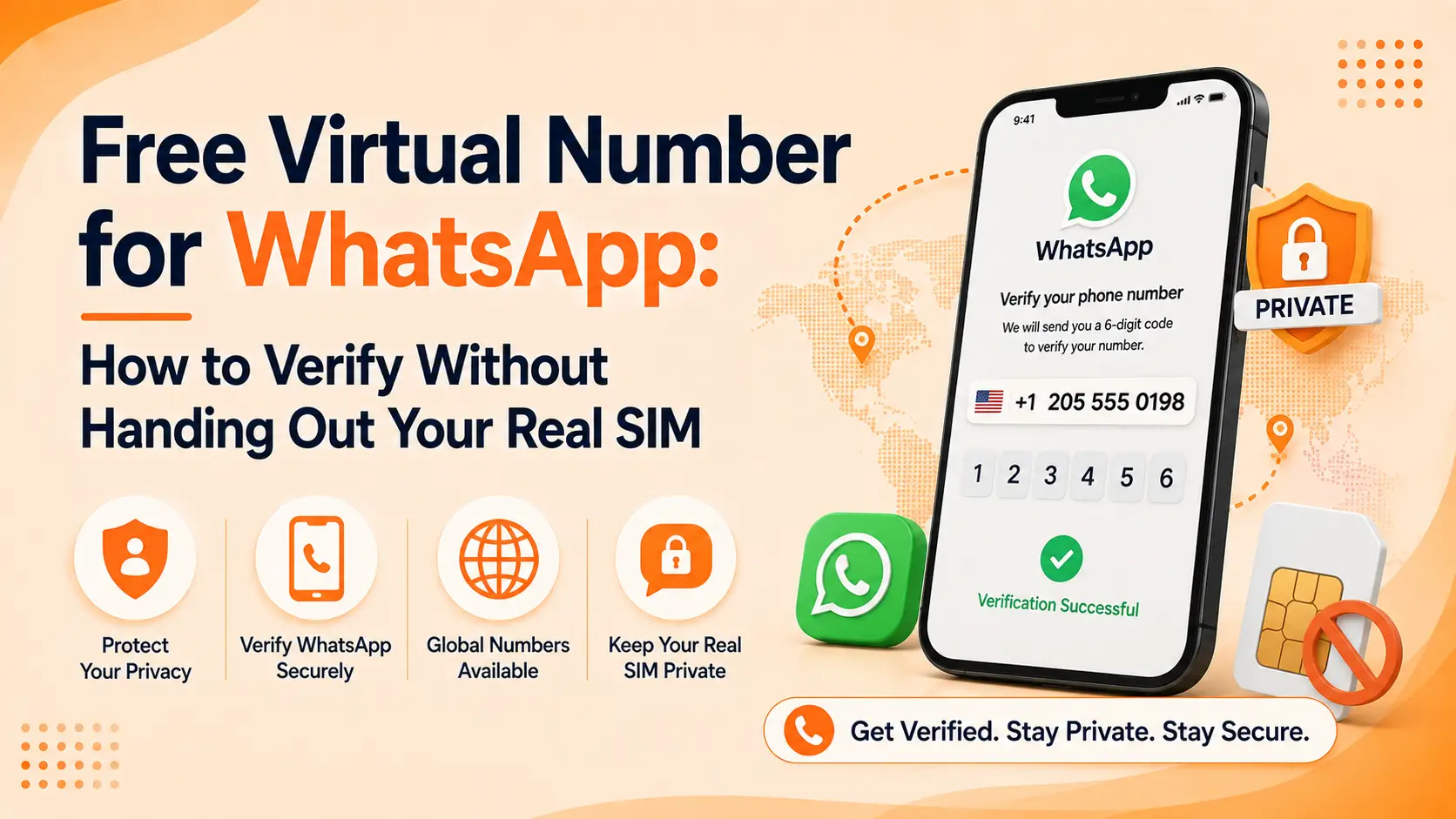
La maggior parte delle persone non ci pensa due volte su quale numero digitare su WhatsApp finché non lo ha già dato a uno sconosciuto, a un acquirente del mercato o a un cliente che ora invia loro un messaggio a mezzanotte. Un numero virtuale per WhatsApp risolve questo problema prima che inizi, permettendoti di registrarti, verificare e inviare messaggi senza vincolare l'account alla SIM che hai in tasca.
Questa guida spiega perché le persone richiedono un secondo numero, quali numeri WhatsApp accetterà effettivamente, come funziona il flusso di verifica passo dopo passo e perché alcuni numeri gratuiti vengono rifiutati nel momento in cui li provi.
Perché hai bisogno innanzitutto di un secondo numero per WhatsApp
L'istinto di mantenere un account WhatsApp legato a un numero di telefono per tutta la vita ha senso finché non si utilizza effettivamente l'app come fa la maggior parte delle persone oggi. I liberi professionisti consegnano il proprio numero a clienti che non incontreranno mai di persona. I venditori su Facebook Marketplace o OLX pubblicano pubblicamente il proprio contatto WhatsApp. I proprietari di piccole imprese desiderano una linea dedicata per le domande dei clienti che non faccia squillare il loro telefono personale alle 23:00. In ognuno di questi casi, un numero di telefono virtuale funge da buffer tra la tua identità e chiunque si trovi dall'altra parte della chat.
La privacy è il driver più comune. Una volta che un numero è collegato a un profilo WhatsApp, può essere cercato da chiunque lo abbia salvato nei propri contatti e le foto del profilo, gli aggiornamenti di stato e i timestamp "ultimo accesso" diventano tutti visibili a meno che non si blocchino manualmente le impostazioni. Un numero virtuale dedicato per WhatsApp significa che anche se trapela, si diffonde o viene venduto a una lista di marketing, la tua linea personale rimane intatta.
Gestire più account è il secondo grande motivo. WhatsApp consente solo un account per numero di telefono, quindi un profilo aziendale separato, una seconda persona per un progetto parallelo o testare il comportamento delle app in diverse regioni richiedono tutti un numero aggiuntivo. Acquistare una seconda SIM per questo è costoso e scomodo, soprattutto se non vivi dove è registrato quel numero.
L'uso aziendale aggiunge un terzo livello. Gli account WhatsApp Business beneficiano di un numero che non è il cellulare personale del proprietario, sia perché il personale può condividere l'accesso alla posta in arrivo, sia perché il numero può essere scambiato o riassegnato senza perdere l'identità aziendale sottostante. Un numero virtuale gestisce tutto questo senza che la SIM card fisica cambi di mano.
Quali numeri accetta effettivamente WhatsApp
La verifica di WhatsApp non è esigente su dove è registrato un numero, ma lo è sempre di più su che tipo di numero sia. Durante la registrazione, l'app controlla il numero rispetto ai metadati dell'operatore che segnalano se si tratta di una linea mobile standard, di una linea fissa o di un numero emesso da un VoIP o da un provider virtuale. I numeri di cellulare passano quasi ogni volta senza attriti. Anche i telefoni fissi possono registrarsi, ma poiché non possono ricevere SMS, WhatsApp offre automaticamente una chiamata vocale con il codice letto ad alta voce.
I numeri virtuali e VoIP si trovano in un'area grigia. Non vengono bloccati del tutto, ma WhatsApp ha rafforzato il rilevamento dei numeri associati alla creazione di account di massa, campagne di spam e servizi SMS usa e getta, poiché questi sono gli strumenti utilizzati dagli autori di abusi per creare account usa e getta. Un numero di telefono virtuale di qualità fornito da un fornitore affermato, che viene effettivamente affittato a un singolo utente anziché condiviso tra migliaia di iscrizioni, viene comunque verificato con successo nella stragrande maggioranza dei casi. I numeri in difficoltà sono quelli estratti da app gratuite condivise in cui le stesse cifre vengono riciclate per dozzine di iscrizioni diverse in un solo giorno.
Il flusso di verifica, passo dopo passo
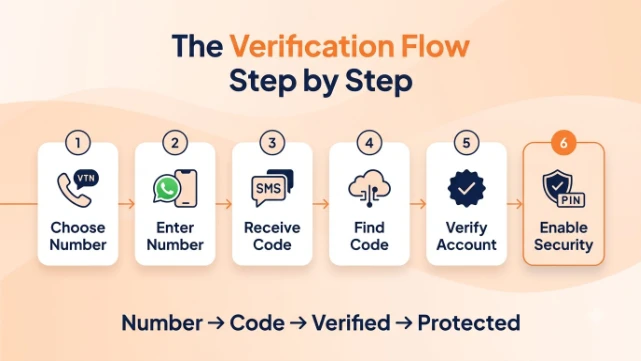
Registrare un numero virtuale per WhatsApp non è significativamente diverso dalla registrazione con una normale SIM, ma alcuni passaggi meritano un'attenzione particolare quando il numero non è quello fisicamente presente nel tuo telefono.
- Scegli e attiva il tuo numero: scegli un fornitore di numeri di telefono virtuali, seleziona un numero nel Paese e nel prefisso che desideri e attivalo sul tuo account. Assicurati che il numero supporti la consegna di SMS, poiché questo è il metodo di verifica predefinito.
- Installa WhatsApp e inserisci il numero: scarica WhatsApp, scegli il prefisso internazionale e digita il numero virtuale esattamente come è stato rilasciato, senza spazi o simboli aggiuntivi. Una cifra digitata in modo errato è il motivo più comune per cui la verifica fallisce al primo tentativo.
- Richiedi il codice: WhatsApp invia un codice di sei cifre tramite SMS. Se il numero non può ricevere SMS o l'SMS non arriva entro un paio di minuti, tocca invece l'opzione per ricevere il codice tramite chiamata telefonica automatizzata.
- Recupera il codice dalla dashboard o dall'app del tuo provider: poiché il numero non è fisicamente nel tuo dispositivo, controllerai la posta in arrivo o il registro delle chiamate del tuo provider di numeri virtuali per trovare il codice anziché l'app di messaggistica nativa del tuo telefono.
- Inserisci il codice e completa la configurazione: digita il codice in WhatsApp, aggiungi un nome e una foto del profilo se desideri che l'account appaia attivo anziché anonimo e sei verificato.
- Abilita la verifica in due passaggi: aggiunge un PIN oltre alla verifica SMS, che è più importante con un numero virtuale che con una SIM personale, poiché è la protezione aggiuntiva contro qualcun altro che registra nuovamente il numero se lo lasci scadere.
Perché alcuni numeri gratuiti vengono rifiutati o bannati
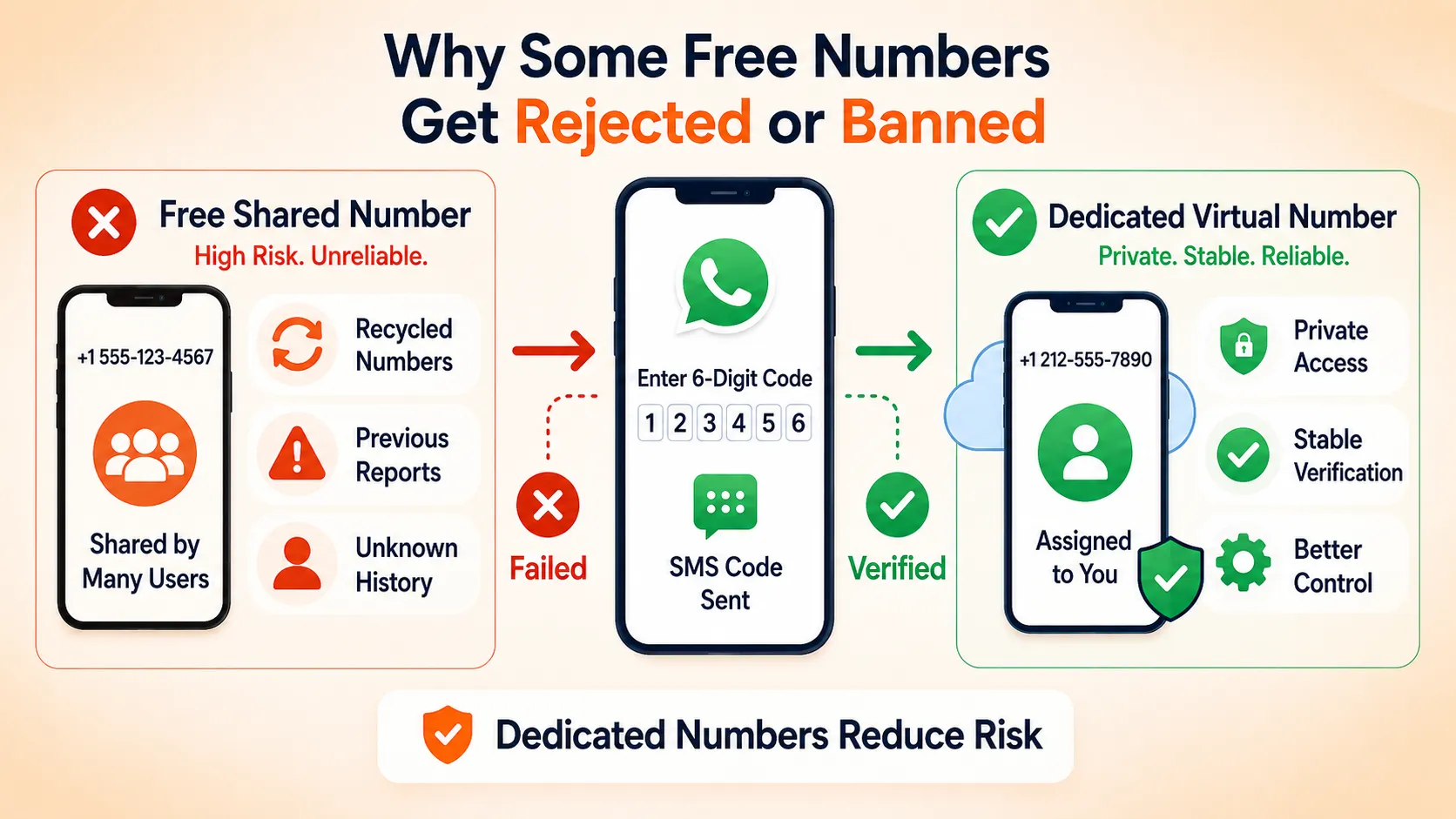
Il fascino di un numero virtuale veramente gratuito per WhatsApp è ovvio e molte app pubblicizzano esattamente questo. Il problema è che "gratuito" di solito significa che il numero è condiviso. Un pool di poche centinaia di numeri viene riciclato in migliaia di download di app e ognuno di questi numeri accumula una cronologia di precedenti registrazioni, divieti e segnalazioni di abusi su WhatsApp prima che ti raggiunga. La verifica di WhatsApp sta cercando di individuare esattamente questo schema, quindi un numero con quel tipo di cronologia viene contrassegnato, rifiutato nella fase di immissione del codice o verificato con successo solo per vedere l'account sospeso giorni dopo senza preavviso.
C'è anche un problema pratico che non ha nulla a che fare con la politica: molte app gratuite riciclano un numero nel pool non appena chiudi l'app, il che significa che perdi completamente l'accesso al metodo di verifica dell'account WhatsApp se mai avessi bisogno di verificare nuovamente, cambiare dispositivo o ripristinare l'account. Ciò non significa che ogni opzione gratuita sia inutilizzabile, ma le probabilità cambiano fortemente a tuo favore quando utilizzi un numero che non è condiviso tra un numero sconosciuto di altre iscrizioni a WhatsApp nello stesso giorno.
Come scegliere un numero che rimanga effettivamente affidabile
Alcuni controlli prima di impegnarti con un fornitore ti risparmiano molta frustrazione in seguito.
- Proprietà, non prestito: conferma che il numero sia assegnato esclusivamente al tuo account anziché prelevato da un pool condiviso che si ripristina dopo ogni utilizzo. Questo singolo fattore influisce sul successo della verifica più di quasi ogni altra cosa.
- SMS e supporto vocale: un numero che supporta entrambi i metodi di consegna ti offre una soluzione di riserva nel momento in cui la consegna degli SMS subisce ritardi, cosa che accade più spesso con i numeri virtuali che con quelli mobili.
- Corrispondenza del paese e del prefisso: se hai bisogno che il numero sembri locale in una regione specifica, scegli un fornitore che ti permetta di scegliere direttamente il paese e il prefisso invece di assegnarne uno a caso.
- Longevità: chiedi se il numero rimane attivo finché mantieni il piano o se può essere recuperato e riemesso a qualcun altro dopo un periodo di inattività. Un numero recuperato è un modo rapido per perdere l'accesso al tuo account WhatsApp in futuro.
Numeri dedicati di LetsDial
LetsDial emette numeri di telefono virtuali dedicati invece di attingere da un pool condiviso e usa e getta, che è il dettaglio che conta di più per la verifica di WhatsApp in particolare. Puoi navigare disponibile numeri di telefono virtuali per paese per vedere la copertura prima di sceglierne una, e il team di supporto di LetsDial è disponibile se la verifica incontra un intoppo.
Coprire il lato aziendale
Se il numero è per un account WhatsApp Business anziché personale, La guida più ampia di LetsDial sulla configurazione di un numero virtuale per WhatsApp copre l'accesso condiviso alla casella di posta, la riassegnazione del numero e il resto di ciò che cambia una volta che il personale anziché una persona risponde all'account.
Cosa dice la policy di WhatsApp
Vale la pena essere sinceri riguardo a: Il Centro assistenza di WhatsApp osserva che gli account possono essere bannati per aver violato i termini di servizio e l'utilizzo di un numero in un modo che assomiglia ad un abuso, registrazioni collettive, messaggistica automatizzata, numeri legati allo spam, è uno dei modi più rapidi per attivarlo. Utilizzato da una persona reale per conversazioni reali, non è il tipo di comportamento che la politica è progettata per rilevare.
Conclusione
Un numero virtuale per WhatsApp funziona quando è effettivamente tuo anziché preso in prestito da un pool condiviso per cinque minuti. I numeri mobili e virtuali di qualità vengono verificati senza attriti, il flusso di configurazione richiede alcuni minuti dall'inizio alla fine e la verifica in due passaggi colma l'unica vera lacuna che deriva dal non tenere tu stesso la SIM.
Per chiunque desideri un numero che rimanga affidabile invece di essere segnalato nel momento in cui WhatsApp controlla la sua cronologia, LetsDial emette un numero dedicato legato solo al tuo account, non un pool riciclato tra migliaia di altre iscrizioni. Imposta oggi stesso un numero LetsDial e registrati su WhatsApp senza fornire la tua vera SIM.
Domande frequenti
Scritto da Ariano Khan · 12 agosto 2026
Rispondi all'autore