
介绍
Calls that quietly land on the wrong phone are almost never intentional. Most people who search for how to turn off call forwarding didn't set it up on purpose — a carrier support call, a hand-me-down device, or a forgotten conference-call setup flipped a switch somewhere and never flipped it back. If your phone is ringing once and then going silent, or callers say they're reaching your voicemail on a completely different line, forwarding is almost always the culprit.
The good news is that you can disable call forwarding in under two minutes once you know where the setting actually lives, and it lives in a different place depending on whether you're on an iPhone, an Android phone, a landline, or a VoIP business line through a provider like LetsDial. This guide walks through every method, how to confirm the change actually took effect, and what to do when the toggle refuses to cooperate.
Why Your Phone Might Still Be Forwarding Calls Right Now
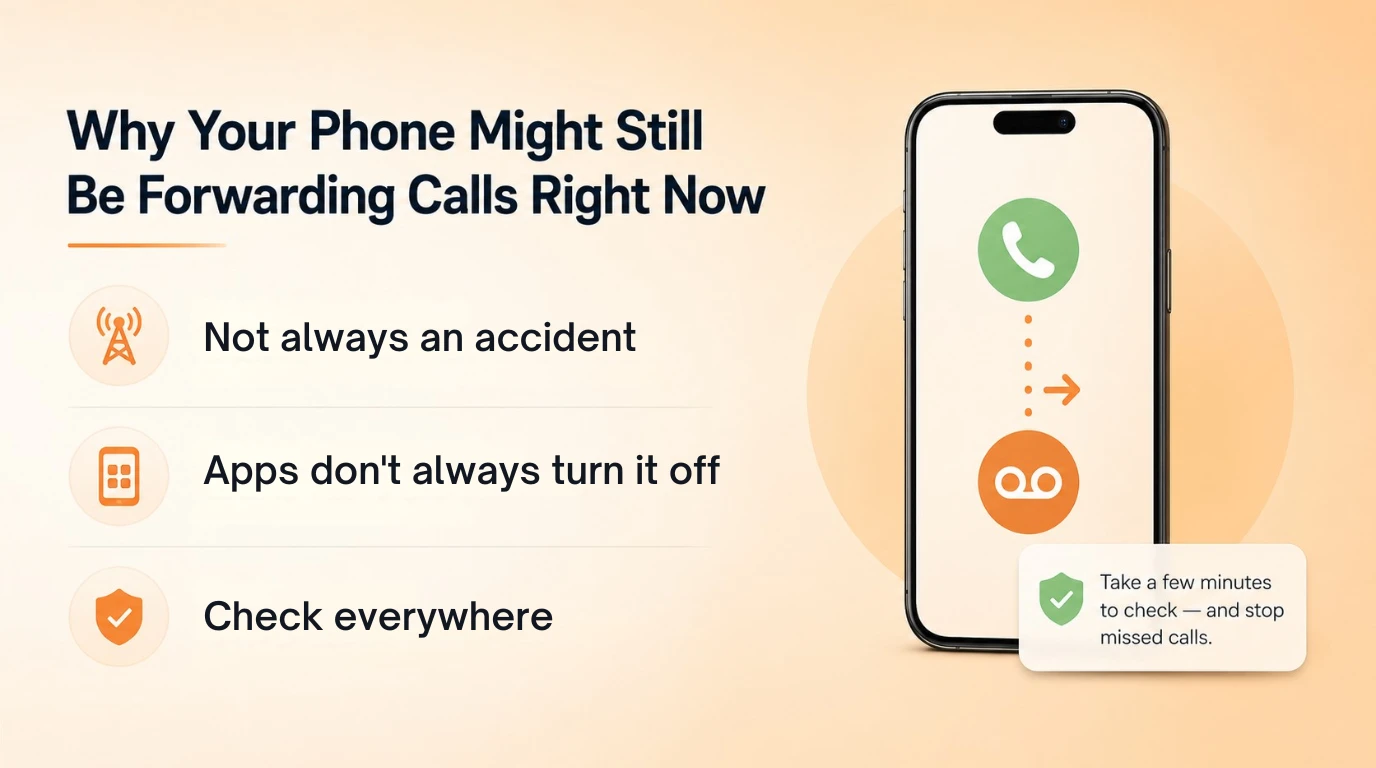
Call forwarding rarely gets left on by accident in the way people assume. It's usually the side effect of something else. A carrier technician troubleshooting a dead zone may have enabled conditional forwarding to a voicemail box and never removed it. A used or refurbished phone can arrive with the previous owner's forwarding rules still active on the SIM profile, invisible until calls start disappearing. Group calling apps and some third-party voicemail services also request conditional forwarding permissions during setup, and if you uninstall the app without disabling the underlying carrier setting, the redirect keeps running in the background.
This is why turning off call forwarding sometimes feels like it "didn't work" — you switched off the app, but the carrier-side rule that the app created is still live. The fix is the same regardless of cause: find every place forwarding can be configured for your specific device and carrier, and check each one rather than assuming a single toggle covers it.
Turn Off Call Forwarding on iPhone
On an iPhone with a standard carrier plan, the setting lives inside the Phone app's settings, not the main Settings app menu on every carrier — the exact path varies slightly by iOS version.
- Open Settings.
- Scroll down and tap Phone.
- Tap Call Forwarding.
- If the toggle is green, tap it once to turn it gray.
If you don't see a Call Forwarding option at all, your carrier manages it on their network rather than through iOS, which is common with prepaid and some regional carriers. In that case you'll need the carrier code method below. Note that you need active signal to change this setting — if you attempt it in airplane mode or a dead zone, the toggle may appear to switch but won't actually update on the network side.
Turn Off Call Forwarding on Android (By Manufacturer)
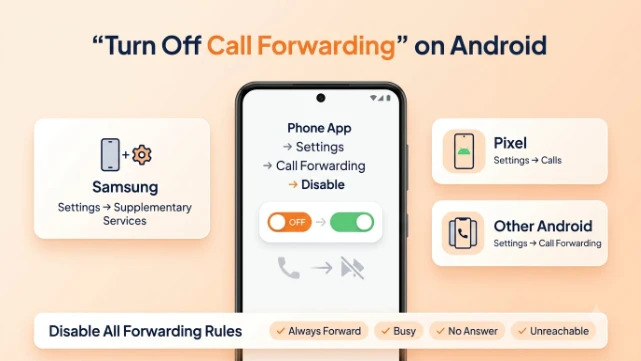
Android doesn't have one universal menu because manufacturers layer their own dialer apps on top of the base OS. The setting is almost always inside the Phone app rather than the system Settings app, but the exact tap sequence differs.
- Samsung: Open Phone, tap the three-dot menu, choose Settings, Supplementary Services, Call Forwarding, then turn off each forwarding type listed.
- Google Pixel (stock Android): Open Phone, tap the three-dot menu, choose Settings, Calls, Call Forwarding, then disable each entry.
- Other Android brands (OnePlus, Motorola, etc.): The path is nearly identical — Phone app, three-dot or hamburger menu, Settings, then a Calls or Call Forwarding subsection.
The part people miss: most Android phones separate forwarding into four conditions — always forward, forward when busy, forward when unanswered, and forward when unreachable. Switching off "always forward" leaves the other three active, so calls still get redirected under specific circumstances. To fully deactivate call forwarding on Android, go through all four toggles individually rather than stopping after the first one.
Disable Call Forwarding Using Carrier Codes (No Settings Menu Needed)
Carrier codes work on essentially any phone, including older devices and phones where the on-screen menu is missing or grayed out, because they talk directly to the carrier's network rather than the handset software.
- Universal GSM code (works on AT&T, T-Mobile, and most others): Dial ##002# and press call. This clears every type of forwarding at once.
- Verizon: Dial *73 and press call.
- AT&T (specific types): #21# cancels unconditional forwarding, #67# cancels busy forwarding, #61# cancels no-answer forwarding, and #62# cancels unreachable forwarding.
- T-Mobile: ##21# and press call to turn off call forwarding entirely.
You'll typically hear a confirmation tone or see an on-screen message confirming the request went through. If nothing happens after dialing, the code syntax may be slightly different for your specific carrier, and it's worth a quick call to their support line to confirm the right sequence before assuming the setting is broken.
Switching Off Call Forwarding From a LetsDial or VoIP Dashboard
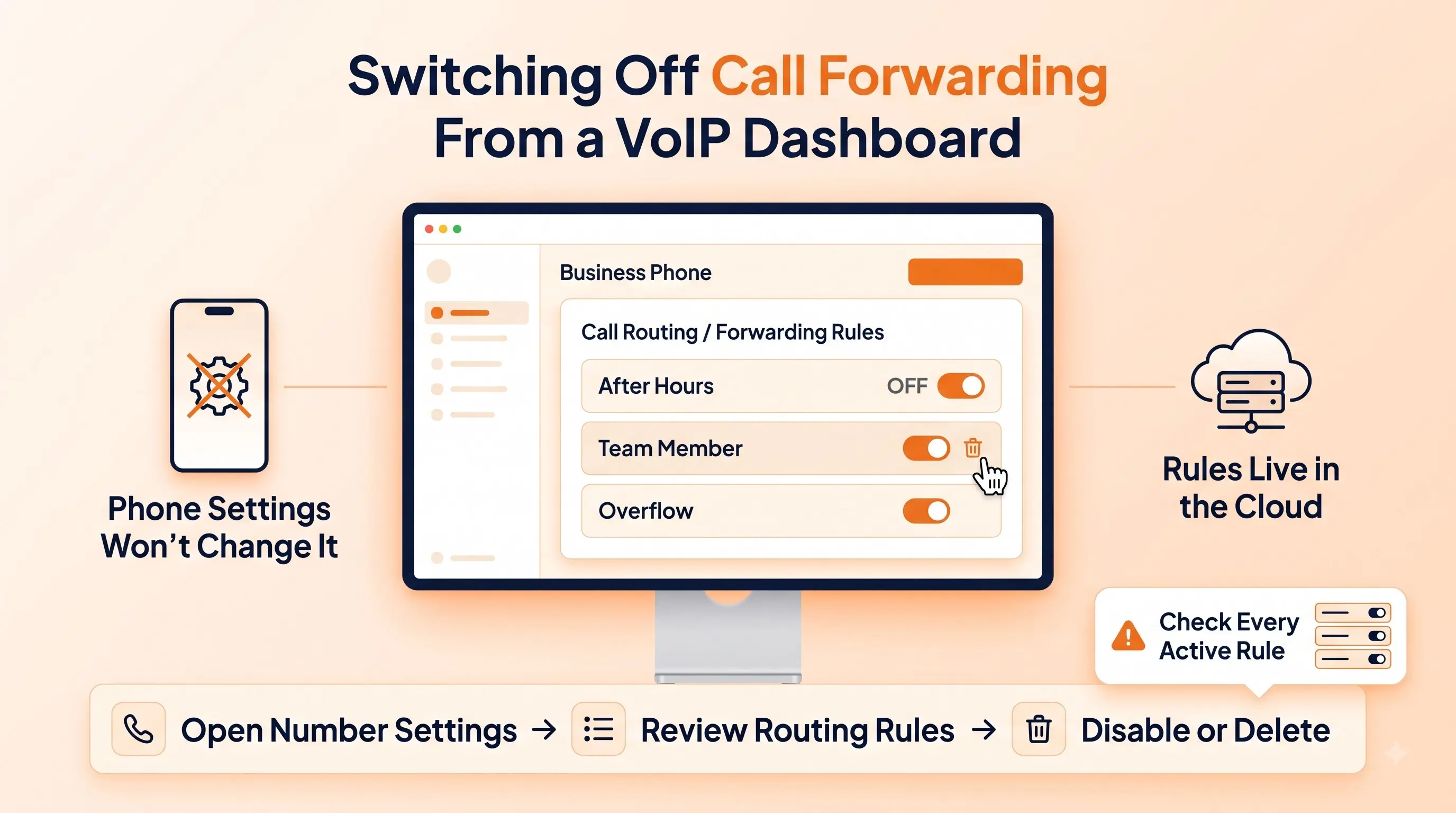
If your number runs through a VoIP or virtual phone system rather than a traditional SIM, none of the phone-level steps above will touch it, because the redirect is configured server-side, not on the device. With LetsDial, forwarding rules live inside the business phone dashboard, where you can see every active routing rule attached to a number rather than guessing which device setting applies. Our guide to call forwarding covers how those routing rules work in the first place.
To disable call forwarding on a LetsDial number, log into the dashboard, open the number's call settings, and toggle off the forwarding rule or delete it entirely if it was tied to a temporary destination like a mobile line during off-hours. Business accounts often have more than one rule stacked — one for after-hours, one for a specific team member, one for overflow — so check the full routing list rather than a single switch. This is also where you'll catch forwarding rules that a former employee or contractor set up and never removed, which is a common reason calls keep landing somewhere unexpected on shared business lines.
How to Confirm Call Forwarding Is Actually Off
Flipping a toggle isn't proof the redirect stopped. The only reliable test is a live one:
- Have a friend or a second phone call your number directly.
- Let it ring through fully without answering.
- Confirm the call goes to your own voicemail, not someone else's, and that your phone actually rang the full duration.
You can also dial the status-check code for your carrier — on most GSM carriers, *#21# followed by call will display whether unconditional forwarding is currently active and, if so, the number it's pointed at. This is faster than digging back through menus and works even if you're not sure which forwarding type was originally enabled.
Why the Toggle Won't Turn Off (Troubleshooting)
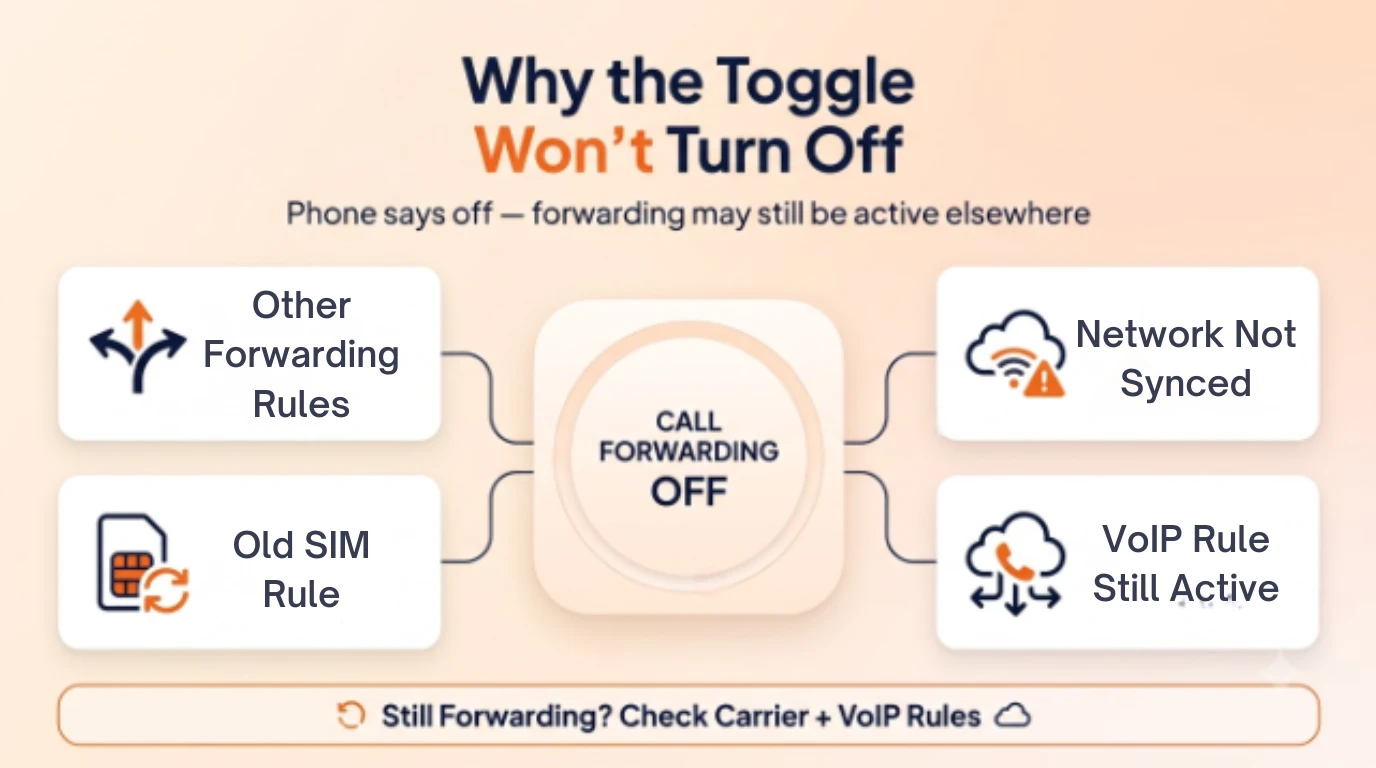
The most common complaint after trying to turn off call forwarding is that the setting looks disabled but calls are still redirecting. A few causes explain almost every case:
- Multiple forwarding types are active. You disabled one condition (always forward) but busy, no-answer, or unreachable forwarding is still on — go back through all four.
- The carrier network hasn't synced yet. Toggling in weak signal or airplane mode changes the local display without updating the network. Move to a strong-signal area and repeat the step.
- A SIM swap or eSIM transfer carried over old settings. Forwarding rules attached to a phone number sometimes persist through device changes; use the carrier code method to force a network-side reset.
- A VoIP dashboard rule is overriding the device setting. If you're on a business number, someone with admin access may have a routing rule active in the platform, unrelated to anything on the handset itself.
If none of these fix it, contacting your carrier directly and asking them to clear forwarding on their end is the fastest resolution — they can see and reset the network-side flag even when the phone's display is out of sync with it.
What Happens to Your Calls the Moment It's Off
Once forwarding is genuinely disabled, incoming calls ring straight through to your device using its normal ringtone and ring duration, and unanswered calls fall back to whatever voicemail is configured natively on that line — not a forwarded destination's voicemail. There's no delay or transition period; the change takes effect on the next incoming call. If you were forwarding to a backup line or an assistant, that person will stop receiving your calls immediately, so it's worth giving anyone downstream a heads-up before you disable call forwarding on a shared or business number.
Turning Call Forwarding Back On When You Need It
Disabling forwarding doesn't delete the setting, it just switches it off, so re-enabling later uses the same menus or codes in reverse. On iPhone, return to Settings > Phone > Call Forwarding and toggle it back on, then re-enter the destination number. On Android, the same Calls or Call Forwarding menu lets you re-add a forwarding number. Carrier codes have paired "on" versions too — for example, *72 activates Verizon forwarding to match the *73 that cancels it.
For anyone who forwards regularly, like traveling for work or covering a team member's line temporarily, a virtual number through LetsDial makes this less error-prone than juggling carrier settings, since routing rules can be scheduled, adjusted, and reviewed from one dashboard instead of being buried in a phone menu you'll forget about later. LetsDial's 定价 starts low enough that swapping a carrier-dependent line for one with dashboard-level control is worth it for anyone tired of chasing down forwarding settings across multiple devices.
结论
Turning off call forwarding takes under two minutes once you know where to look — Settings > Phone on iPhone, the Phone app's Calls menu on Android, a carrier code on any device, or the routing rules inside a VoIP dashboard for a business number. Check all four conditions, confirm the change with a real test call, and you'll avoid the most common reason people think the toggle "didn't work."
For step-by-step screenshots straight from the source, Apple's own instructions in its official iPhone user guide cover both GSM and CDMA variations.
常见问题解答
撰写者 雅利安汗 · 2026 年 8 月 7 日
回复作者