

Introduction
The message “the number you have dialed has calling restriction” means your call is being actively blocked before it can connect. This isn’t a technical error, but an intentional restriction set either by the person you are calling or their service provider.
A “call restricted” message can stem from an issue on your end (like device settings, plan limitations, or account problems) or on the recipient’s end (such as a blocked number or service issue). Identifying the source is key to finding a solution.
Top 6 Causes of Calling Restrictions on the Recipient’s End
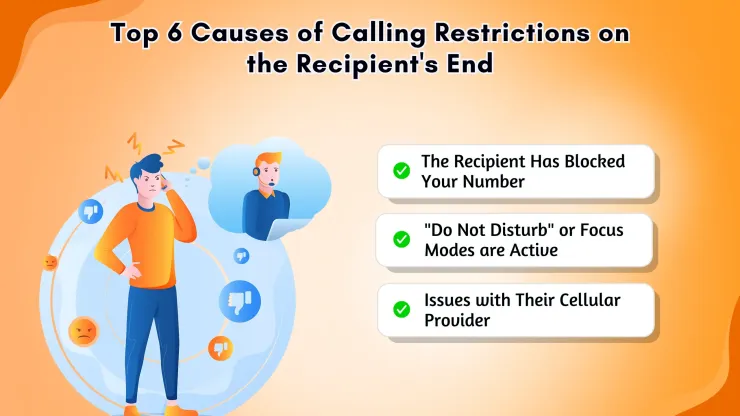
1. The Recipient Has Blocked Your Number
This is one of the most direct reasons for the error. If the person you are calling has added your number to their block list, their phone or carrier will automatically reject your calls. They will not receive any notification that you tried to call, and you will hear the number you have dialed has calling restriction or a similar message.
2. “Do Not Disturb” or Focus Modes are Active
Modern smartphones have powerful “Do Not Disturb” (DND) or Focus Mode features. When enabled, these modes can be configured to silence notifications and block calls from numbers that are not in the user’s contact list. If your number isn’t saved on their phone, their device may automatically reject the call, leading to the restriction message. This is a frequent reason why a phone call is restricted even if your number isn’t technically blocked.
3. Issues with Their Cellular Provider
The problem might be with the recipient’s service account. Their provider may have suspended their service due to unpaid bills or placed restrictions on their account that prevent them from receiving incoming calls. Additionally, widespread network outages or technical failures on the provider’s end can also result in the number you have dialed as a calling restriction for anyone trying to call their subscribers.
4. Call Barring or Filtering Services are Enabled
Many users enable call barring to prevent specific types of calls. For example, they might block all international numbers, calls from hidden or private numbers, or numbers identified as potential spam. If your call falls into one of these restricted categories, their carrier’s network will stop it before it reaches their phone.
5. The Line is Out of Service or Disconnected
If the recipient’s phone number is no longer active, has been disconnected, or has not been set up properly, some networks will use the number you have dialed has calling restriction as a default error message. The number essentially leads to a dead end in the network.
6. Your Number Has Been Flagged as Spam
Carriers are becoming more aggressive in fighting robocalls and spam. If your number has been used to make a high volume of outbound calls or has been reported by other users, it might be automatically flagged. The recipient’s carrier may then block your call as a protective measure, causing the restriction error.
Why Can’t I Make Calls? Potential Issues to Check First

Before assuming the issue is with the recipient, it’s essential to check if the problem is originating from your own device or account. Here’s what might be happening on your end.
1. Unpaid Bills or Plan Limitations
The most common cause on the caller’s side is an issue with their own cellular account. If you have an outstanding bill, your provider might restrict outgoing services. Similarly, some prepaid plans or basic packages have limitations: you might have run out of your allotted minutes or your plan may not include long-distance or international phone number format, triggering the number you have dialed has calling restriction when you try.
2. Outgoing Call Barring is Active on Your Device
It’s possible to accidentally enable call barring on your own smartphone. This feature is designed to prevent certain types of outgoing calls, such as all outgoing calls, all international calls, or calls made while roaming. If your phone says call restricted every time you dial out, check your phone’s call settings to ensure this feature is turned off.
3. You’ve Hidden Your Caller ID
Many individuals and businesses have their phones or carrier services set to automatically reject anonymous calls. If you have configured your number to appear as “Private,” “Unknown,” or “Restricted,” you are likely to encounter the number you have dialed has calling restriction message when calling someone with this protection enabled.
4. Dialing the Incorrect Number or Format
A simple mistake can often be the cause. Dialing the wrong number, forgetting the area code for a long-distance call, or failing to add the correct country code for an international number will result in a failed connection. The network cannot find a valid destination and returns an error, which can sometimes be the number you have dialed has calling restriction.
5. Poor Network Connectivity or Roaming Issues
If you have a very weak cellular signal, your phone may not be able to properly establish a connection with the network to initiate the call. Furthermore, if you are roaming in a different country or region, your plan might not include roaming calls, or you may need to enable a specific setting to make them. This is another scenario where a phone call is restricted.
6. Parental Controls or Account-Level Restrictions
If the phone line is part of a family plan, the primary account holder may have set up parental controls or other restrictions that limit who can be called, the time of day calls can be made, or the total usage. These account-level settings will override any settings on the device itself.
6 Simple Solutions for the “Calling Restriction” Message
Now that you understand the potential causes, here is a practical, step-by-step guide to troubleshoot and resolve the issue.
1. Verify the Phone Number and Dialing Format
This is the simplest yet most effective first step. Carefully re-check every digit of the phone number. Ensure you have included the correct area code and, for international calls, the ‘+’ symbol followed by the country code. Remove any special characters or extra spaces.
2. Reveal Your Caller ID
If you suspect your hidden number is the problem, try unblocking it for a single call. In many regions, you can do this by dialing a special prefix (like *82 in the United States and Canada) before dialing the phone number. This forces your number to be displayed and can bypass anonymous call rejection filters.
3. Check Your Phone’s Call Settings
Navigate to your smartphone’s settings menu. Look for options related to “Call Barring,” “Call Restrictions,” or “Do Not Disturb.” Ensure that no settings are active that would prevent your outgoing call. Also, make sure Airplane Mode is turned off. Fixing this is a primary solution when your phone says call is restricted.
4. Review Your Cellular Account Status
Log in to your mobile provider’s online portal or app. Check your account balance, ensure your recent bill has been paid, and review your plan details. Confirm that your plan includes the type of call you are trying to make (e.g., long-distance, international). This is a key step to solving the number you have dialed has calling restriction.
5. Try Calling a Different Number
To determine if the issue is with the specific person you’re calling or your phone in general, try calling a different number you know works. If that call goes through successfully, it strongly suggests the problem lies with the original recipient (they may have blocked you or have a service issue). If no calls go through, the problem is on your end.
6. Contact Your Service Provider
If you have tried all the steps above and are still hearing the number you have dialed has calling restriction, it’s time to contact customer support. Your provider can perform a diagnostic on your line, check for network-wide outages, and confirm if there are any blocks on your account that you cannot see. They are your best resource for resolving complex network-level problems.
Conclusion
Hearing the message “The number you have dialed has calling restriction” is undoubtedly a roadblock, but it’s one that can almost always be cleared. By methodically working through the potential causes from the recipient’s settings to your own account status and device configurations you can effectively diagnose the root of the problem.
Start with the simplest fixes, like checking the number and your phone’s settings, before moving on to contacting your provider. By following these troubleshooting steps, you can resolve the issue and ensure your important calls get connected.


