Introduction
Most people discover call barring by accident — usually after locking themselves out of making international calls, or after a carrier support rep mentions it while troubleshooting a spam problem. It's one of the oldest network-level features in telephony, older than most smartphone apps, and it still does something no third-party call-blocking app fully replicates: it stops a call at the network level before it ever reaches your device.
This guide breaks down exactly what call barring does, how it's different from call blocking and Do Not Disturb, the four types you can activate, and the actual steps to turn it on for iPhone, Android, and most carrier networks. It also covers when call barring causes more problems than it solves, and how it fits alongside a virtual number setup like LetsDial if you're managing calls across multiple lines.
What Happens When You Turn On Call Barring
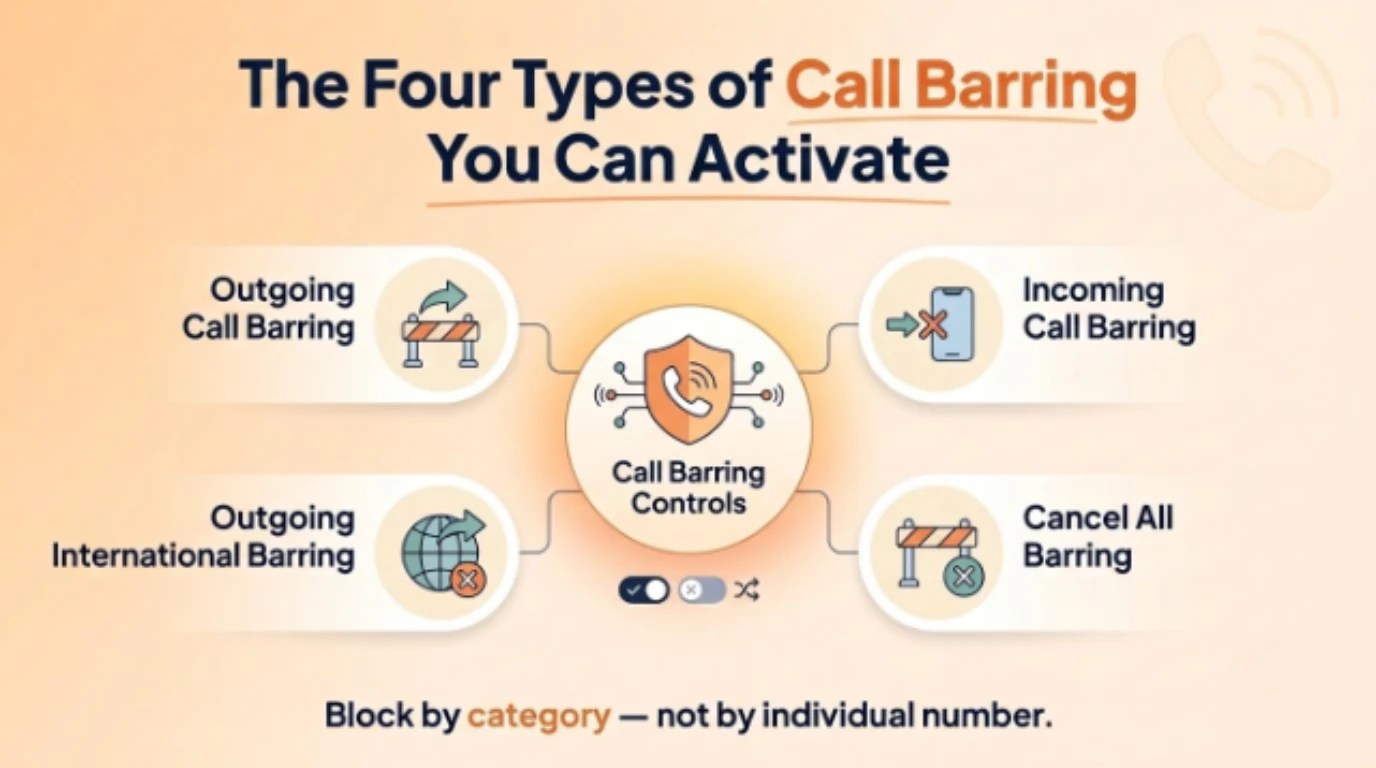
Call barring is a network-level supplementary service, meaning your carrier — not an app on your phone — enforces the restriction. When call barring is active for a category of calls, the network intercepts and rejects those calls before they connect, rather than letting the call ring through and relying on your phone to silence or reject it. That distinction matters: an app-based blocker can only act after a call reaches your device, while call barring stops it upstream.
This network-level enforcement is why call barring has stayed relevant for decades despite the rise of smartphone call-screening apps. It works on any phone, including basic feature phones with no internet connection, because it doesn't depend on software running on the device. As long as the carrier supports the GSM supplementary service standard — which nearly all do — call barring functions identically whether you're on a five-year-old Android or a brand-new iPhone.
The tradeoff is that call barring is all-or-nothing within a category, not number-specific. You can bar all outgoing international calls, but you can't use standard call barring to block one specific international number while allowing others — that level of granularity requires a call-blocking app layered on top. Understanding this limitation up front saves a lot of confusion when call barring doesn't behave the way a caller-ID blocking app would.
Call Barring vs. Call Blocking vs. Do Not Disturb
These three features get confused constantly, and the confusion causes real problems when someone activates the wrong one expecting a different result. Call barring restricts entire categories of calls at the network level — all outgoing calls, all incoming calls, all international calls — and it applies regardless of who's calling. It's a blunt instrument by design.
Call blocking, by contrast, is number-specific and usually handled by an app or your phone's native settings. You block one contact or one unknown number, and every other call still goes through normally. It's the right tool when you know exactly who you want silenced, rather than an entire category of calls.
Do Not Disturb sits in a different category entirely — it doesn't reject calls, it just silences notifications on your device while the call still connects to voicemail or rings silently in the background. If you need calls to actually fail to connect (for cost control, security, or compliance reasons), Do Not Disturb won't do that; only call barring or true call blocking will. Picking the right one of these three often comes down to whether you want a call to ring at all, ring silently, or never connect in the first place.
The Four Types of Call Barring You Can Activate
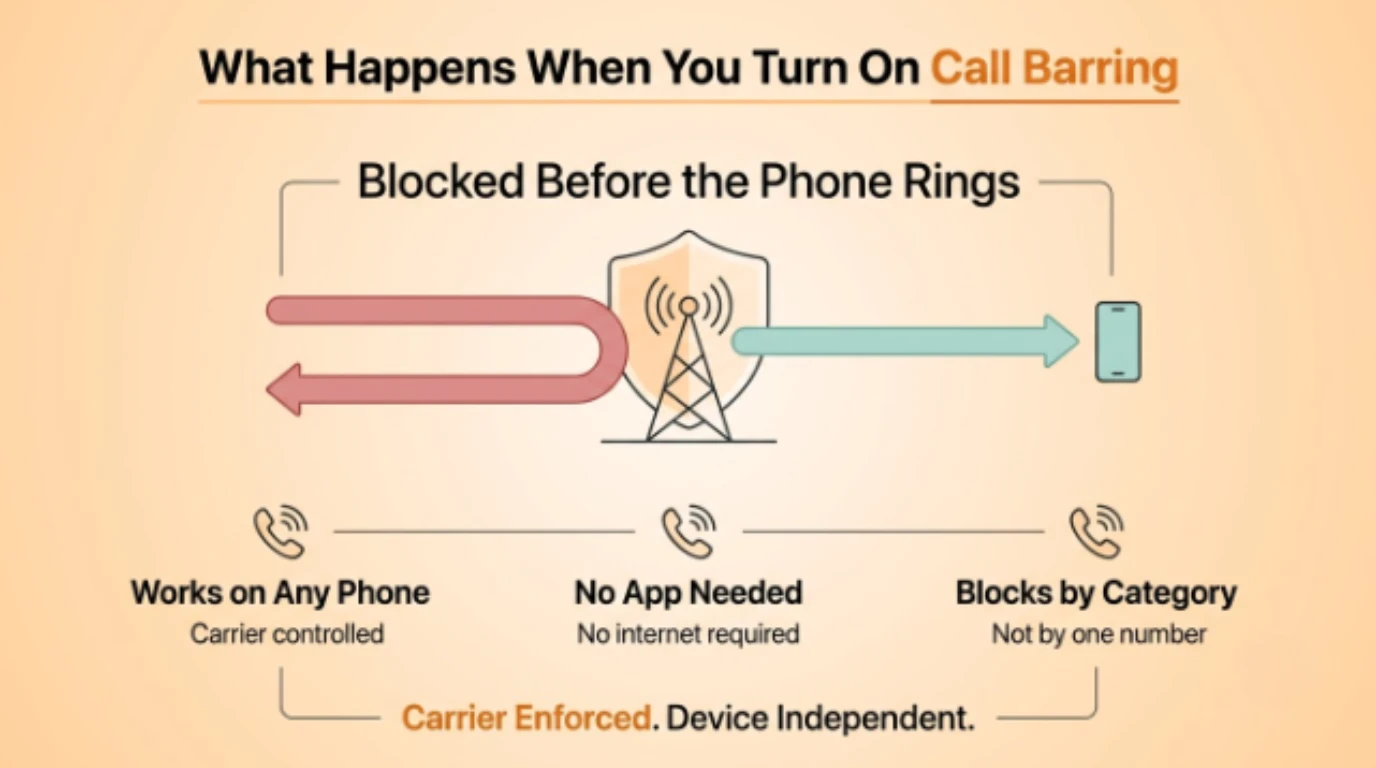
Outgoing call barring stops your device from placing calls in a chosen category, most commonly international numbers or premium-rate lines. Parents use this on a kid's phone, and businesses use it on shared or company-issued devices to prevent expensive or unauthorized dialing.
Incoming call barring stops calls from reaching your phone in a chosen category, most often all incoming calls or all international incoming calls. Travelers heading abroad sometimes activate this to sidestep roaming charges tied to receiving calls on a foreign network.
Outgoing international call barring is a narrower version of the first type, blocking only international outbound dialing while leaving domestic calls untouched — a common setting for business phones where international access needs separate authorization.
All barring services (cancellation) simply turns every active barring rule off at once, which is worth knowing because it's usually the fastest fix if you've locked yourself out of calls you didn't mean to block. Each of these four types is typically toggled independently, so you can combine them — for example, barring outgoing international calls while leaving incoming calls untouched.
Why People and Businesses Turn Call Barring On
Cost control is the most common driver. Premium-rate numbers and international calls can rack up charges fast, especially on a device used by someone other than the account holder — a child, an employee, or a shared office phone. Call barring closes that door entirely rather than relying on after-the-fact bill monitoring. Businesses managing several lines can compare pricing across plans that bundle call controls together with the number itself.
Security and fraud prevention come next. Toll fraud, where a compromised device or account is used to place expensive international calls without the owner's knowledge, is a real and costly problem for businesses running phone systems with multiple extensions. Barring outgoing international calls on extensions that never need them removes that attack surface completely.
Privacy and focus round out the main use cases. Someone traveling, in a high-security work environment, or simply wanting a clean break from incoming calls during a specific period can bar incoming calls entirely rather than fielding them and silencing each one manually. It's a heavier-handed approach than Do Not Disturb, but it guarantees the call never connects rather than just staying quiet.
Activating Call Barring on iPhone, Android, and Your Carrier Network
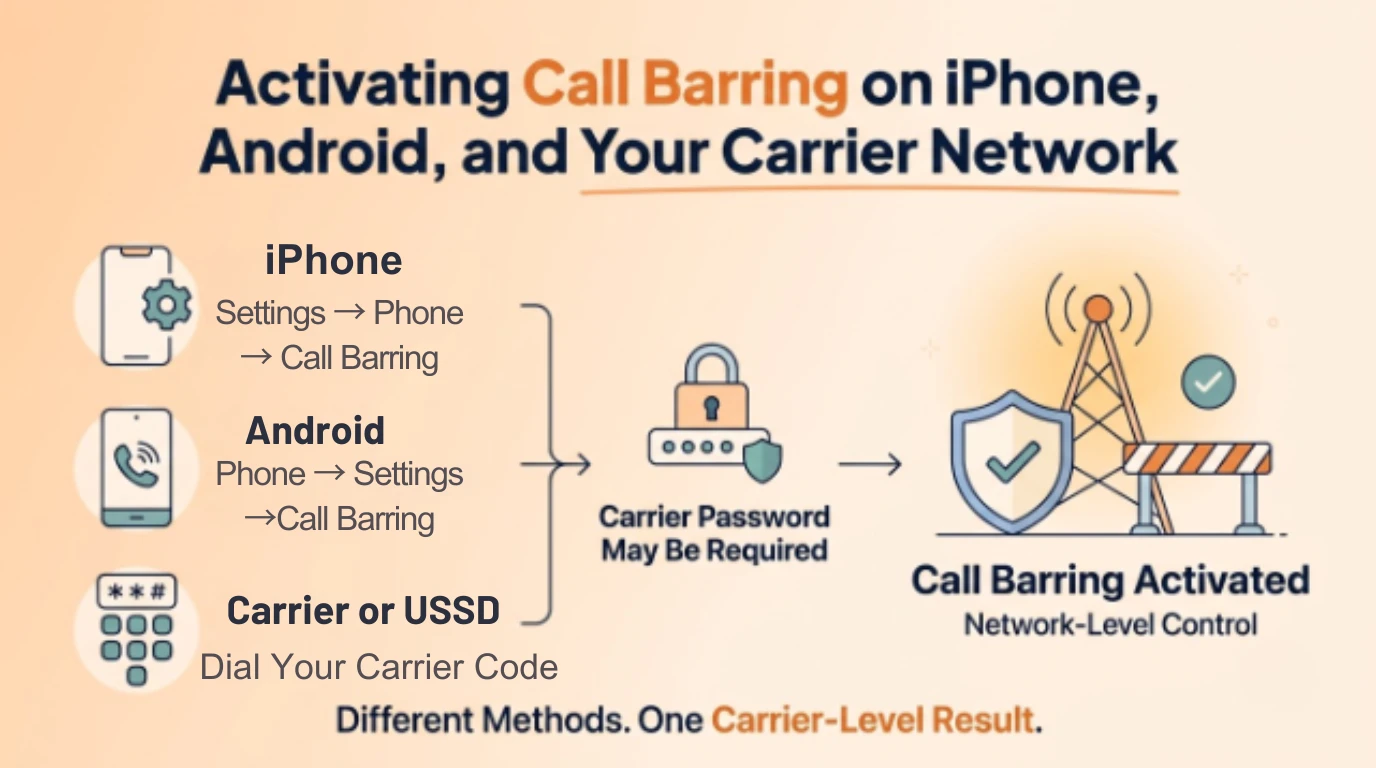
On iPhone, call barring lives under Settings > Phone > Call Barring (availability depends on carrier and region — it's more commonly supported outside the US). You'll be prompted for a call barring password, which defaults to 0000 or 1234 depending on the carrier unless you've changed it.
On Android, the path is typically Phone app > Settings > Supplementary Services > Call Barring, though the exact menu wording varies by manufacturer. Samsung, for instance, nests it slightly differently than stock Android. As with iPhone, you'll need the network's default barring password unless your carrier has issued a custom one.
If your phone's settings menu doesn't expose call barring directly, most carriers support activating it via USSD codes dialed directly from the keypad — for example, a code combination starting with an asterisk-and-digit sequence, which your carrier's support page will list exactly. This works even on basic phones with no smartphone settings menu at all, since the request goes straight to the network rather than through device software.
When Call Barring Backfires (And How to Undo It)
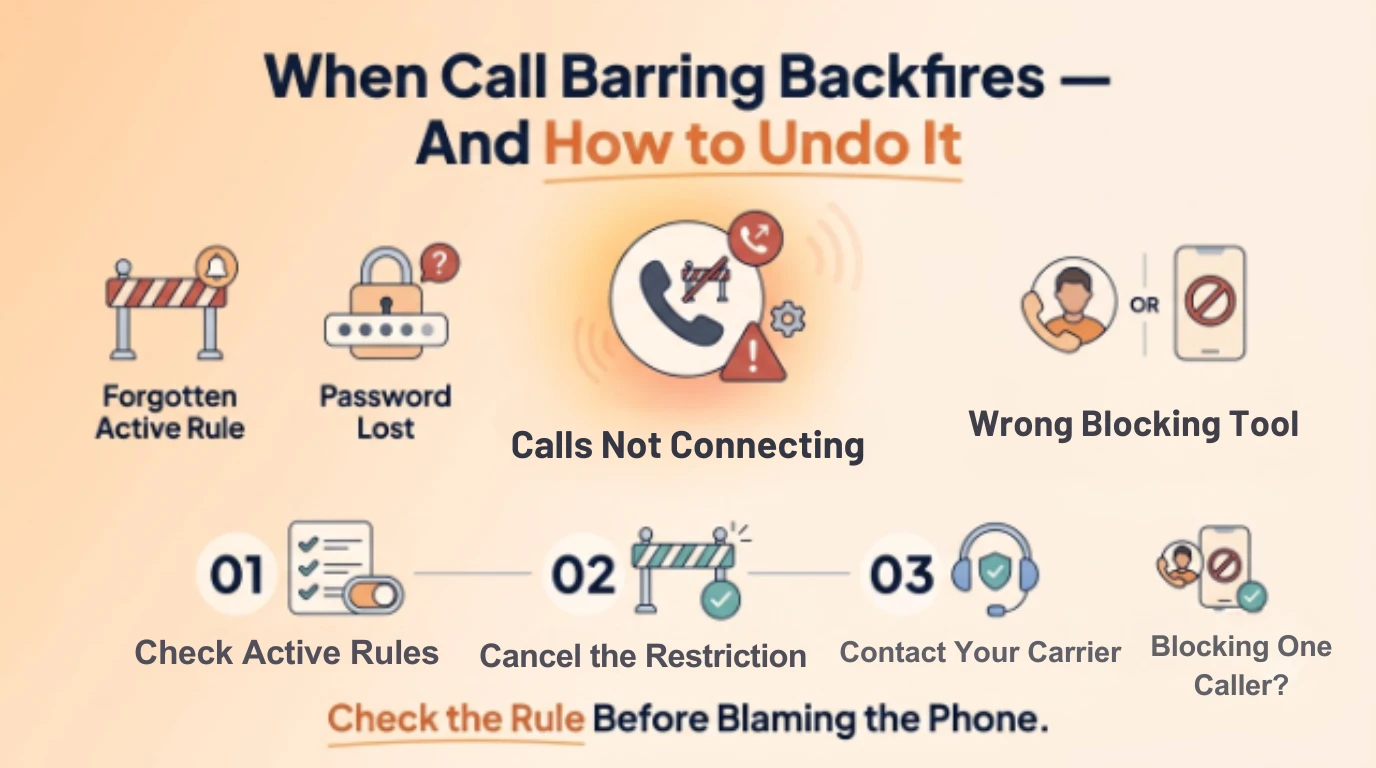
The most common problem is forgetting a barring rule is active and assuming your phone is broken when calls silently fail. If outgoing calls suddenly stop connecting with no error message, check your call barring settings before troubleshooting anything else — it's a frequently overlooked cause.
The second issue is losing or forgetting the call barring password after a carrier or device reset. If you can't recall a custom password, most carriers can reset it through customer support once they verify account ownership, though this typically requires a call from the account holder's registered number or an in-person visit for some carriers.
The third mistake is applying call barring when a lighter tool would've worked better. If you're trying to silence one specific caller rather than an entire category, standard call blocking on your device — not call barring — is the right fix, and it's usually faster to set up since it doesn't involve carrier-side passwords at all.
Managing Call Barring Alongside a Virtual Number
If you're running a business phone line, a virtual number changes the calculus on call barring slightly. With LetsDial, outgoing and incoming rules can be managed per-number rather than per-device, which matters if your team shares devices but needs different calling permissions per line. A shared office phone can have international outgoing barred on the main number while a sales team's virtual number keeps it open.
This per-number control is harder to replicate with carrier-based call barring alone, since traditional call barring ties to the SIM and device rather than a flexible virtual line. Pairing a virtual phone number with standard call barring gives you both layers — network-level restriction where you need it, and app-level flexibility for everything else, without juggling separate carrier settings for every device on the team.
Conclusion
Call barring is a blunt but reliable tool: it doesn't screen calls the way an app does, it simply refuses to let an entire category through. That makes it the right choice for cost control, fraud prevention, and hard privacy boundaries, and the wrong choice when you just need to silence one caller.
See GSMA for background on how call barring works as a standard GSM network service.
Ready to put call controls on your own terms? Set up LetsDial's per-number call barring and forwarding today and keep every line exactly as open — or closed — as you want it.
Frequently Asked Questions
Written by Aryan Khan · August 5, 2026
Reply to the author