
Introduction
A voicemail box doesn't lose you the call at 9 PM. It loses you the call three days later, when the caller's already booked with whoever answered first.
An after-hours AI receptionist exists to close that gap — but a badly configured one just becomes a fancier voicemail with better diction. The difference is entirely in five setup decisions most teams skip. Here's what actually separates a good one from a bad one.
What an After-Hours AI Receptionist Actually Does
It answers every call your team can't — nights, weekends, lunch, and the moment three lines ring at once — and handles it like a person would, not a phone tree. More sits on our AI Receptionist page.
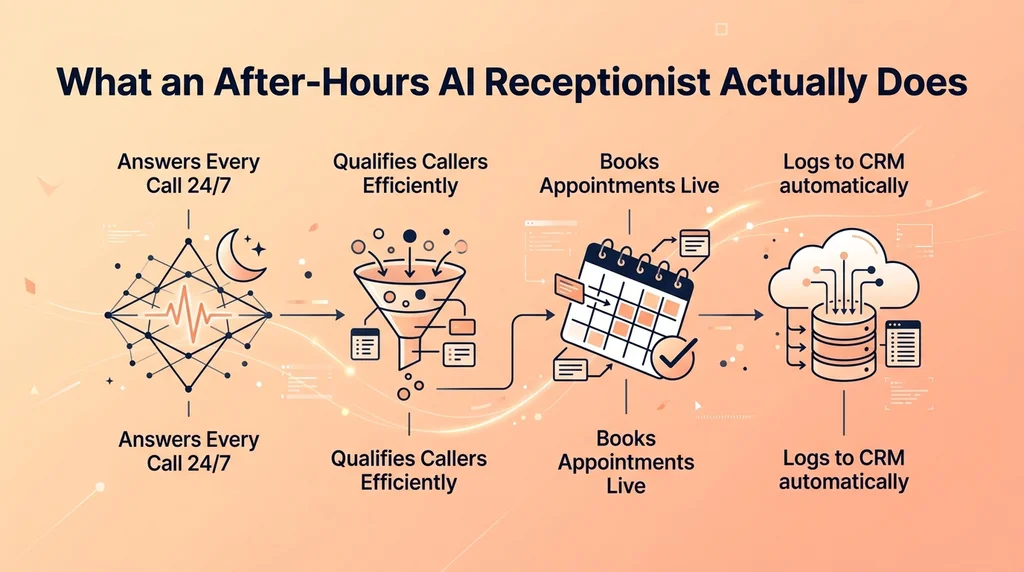
A properly configured one qualifies the caller, checks a real calendar, books the appointment, and writes the summary into your CRM before your team is even awake to see it.
The bar isn't "did it pick up." It's "did the caller get something done," the same bar you'd hold a human receptionist to.
Decision 1: What Gets Answered vs. What Gets Escalated
Not every after-hours call should end in a booking. Some need a human by morning, and a few need one immediately. More sits on our plan pricing page.
Build three tiers before you turn anything on: routine (book it), urgent-but-not-emergency (message + morning callback promised with a time), and true emergency (live transfer to an on-call number, no exceptions).
Healthcare and legal practices should set this tier aggressively — anything that sounds clinical or urgent should escalate faster than a general business would need to.
Decision 2: How Much Calendar Access It Actually Gets
An AI receptionist that can only take a message isn't solving the problem — it's just a nicer inbox. The setup that actually converts overnight calls gives it real, live write access to your booking calendar.
That means blocked-off times stay blocked, no double-bookings, and a caller gets a confirmed slot on the call, not a "someone will follow up."
A cloud phone platform with the receptionist built in — not bolted on as a separate app — is what makes this sync trustworthy. letsdial's AI Receptionist reads and writes the same calendar your daytime team uses, so nothing gets double-booked between an overnight AI booking and a same-day human one.
Decision 3: What It Says When It Doesn't Know the Answer
The failure mode that erodes caller trust fastest isn't a wrong answer — it's a confident-sounding wrong answer. Configure a clean, honest fallback: "I don't have that detail, but I've noted your question and someone will call you back by 9 AM."
Test this deliberately. Ask it three questions you know it can't answer and confirm it degrades gracefully instead of guessing.
A caller who gets an honest "I'll find out" trusts the next answer more than one who catches it bluffing.
Decision 4: How the Handoff to a Human Actually Works
Overnight calls that escalate need a clean morning handoff, not a pile of unlabeled voicemails for whoever opens first.
Route every escalated call into the CRM with caller name, stated intent, and urgency level attached — pre-sorted, not a transcript someone has to read cold at 8 AM.
The team should be able to triage a night's worth of calls in under five minutes, not spend the first hour of the day just figuring out what happened.
Decision 5: What You Measure After Week One
Three numbers tell you if the setup is actually working: after-hours pickup rate, the percentage of those calls that convert to a booked or resolved outcome, and how often a call gets escalated that shouldn't have been (or vice versa).
If escalation is running high in week one, the tiering from Decision 1 is too conservative — tighten it, don't just live with the volume.
letsdial's AI Receptionist is included on every paid plan with no per-minute AI fee — 25 minutes on Starter, 100 on Professional, 300 on Enterprise — so testing these five decisions doesn't mean a separate invoice while you tune it. Compare plans or start a 14-day trial, no credit card required.
How This Compares to a Live Answering Service
A human after-hours answering service is still the right call for a business whose calls are almost entirely unpredictable and high-stakes — a 24/7 crisis line, for instance.
For most businesses, the calls repeat: booking requests, hours questions, basic qualification. That's exactly the pattern a configured AI receptionist handles at a fraction of a night-shift payroll.
The honest dividing line isn't cost, it's predictability — the more your after-hours calls follow a pattern, the more an AI setup outperforms a rotating human shift.
When This Setup Is Overkill
A business that gets one or two after-hours calls a week doesn't need five configuration decisions — a simple voicemail with a fast morning callback promise covers that volume fine.
The tiered-escalation setup earns its complexity once after-hours call volume becomes a real, recurring part of the business, not an occasional edge case.
If you're not sure which camp you're in, a week of call logs tells you — count how many calls come in outside business hours before building anything.
Common Mistakes to Avoid
Turning it on with zero call-flow testing. Call your own number after hours before a single real customer does, and try to break it.
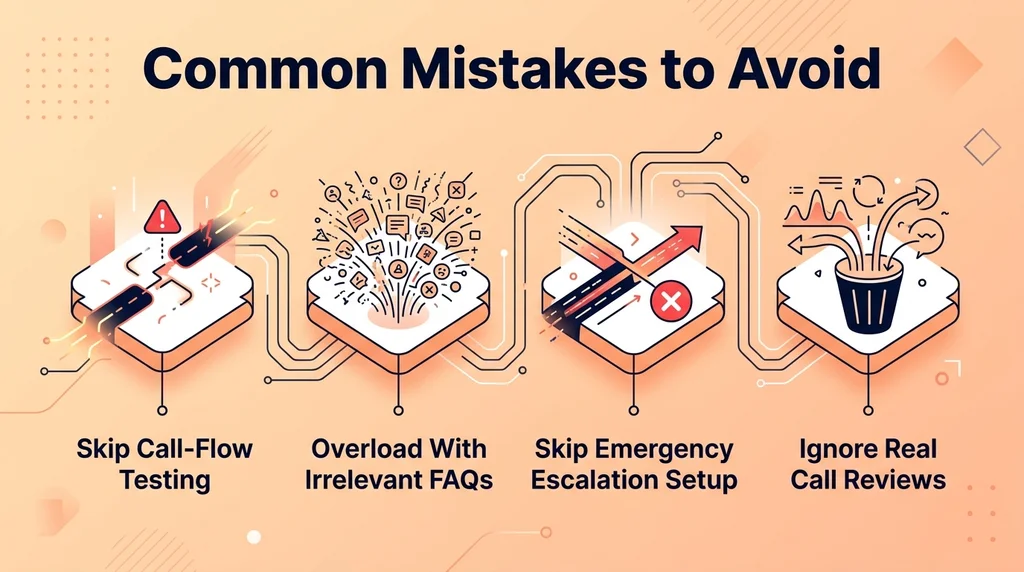
Giving it every FAQ answer instead of the ones that matter. An overloaded knowledge base slows response time and increases the odds of an overconfident wrong answer.
Skipping the emergency-escalation tier entirely. Even a general business gets the occasional call that shouldn't wait for a morning callback.
Never listening back to real calls. A week of recorded, transcribed calls tells you more about what to fix than any spec sheet.
Getting Your Team to Actually Trust It
The fastest way to kill adoption is rolling this out silently and letting the team discover it by surprise on a Monday morning call log. The underlying concept is documented as automated attendant.
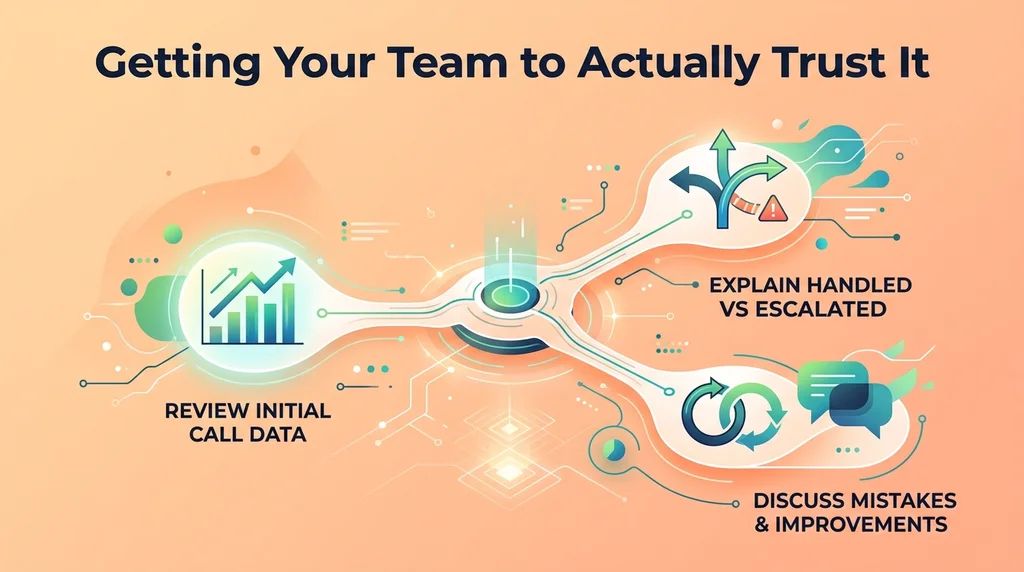
Walk the team through exactly which call types the AI handles versus escalates, before it goes live — not after the first confusing handoff.
Share the first week's numbers openly, especially the mistakes. A team that sees the AI's actual escalation accuracy trusts it faster than one that's just told to trust it.
Conclusion
A good overnight setup isn't judged on whether it answers — anything answers. It's judged on whether the caller got a real outcome, and whether your team walks in the next morning already knowing what happened overnight.
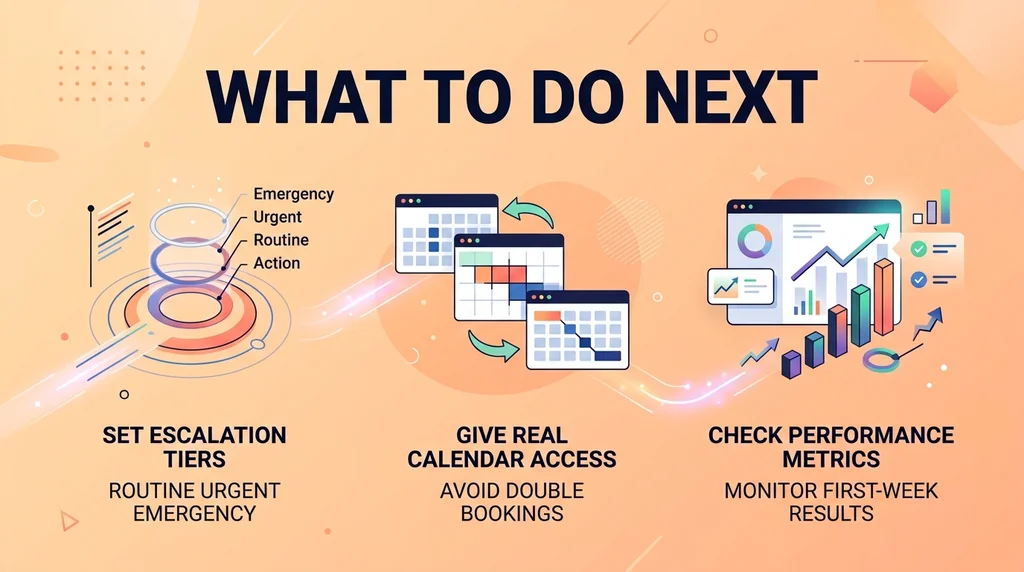
Set the three escalation tiers first, give it real calendar access, and check the numbers after week one. Everything else is tuning.
Most teams underestimate how much of their missed revenue was sitting in that gap between "closed for the night" and "someone finally calls back." Closing it is a configuration problem, not a hiring problem.
Frequently Asked Questions
Written by Aryan Khan · July 20, 2026
Reply to the author